

7 Ways Your Website Is Pushing People Away

Sydney Burright • July 21, 2025

We've all be there - clicking a link, waiting a beat too long, and bouncing before the page even loads or landing on a site that looks like it hasn't been updated since 2009.


Whether you're a brand, business, or creative, your website is your first impression. And in a world where attention spans are shorter than ever, people decide whether to stay or go within seconds. Literally.


Here are 7 ways your website might be turning visitors away and how to fix it:

1. Slow Load Times = Instant Bounce

If your site takes longer than 3 seconds to load, people are already leaving. No one wants to wait around, especially on mobile. We advise that you check your load speed with PageSpeed Insights.


Fix It: Compress your images, minimize code, and make sure your hosting can handle your traffic.

2. It Looks Bad on Mobile

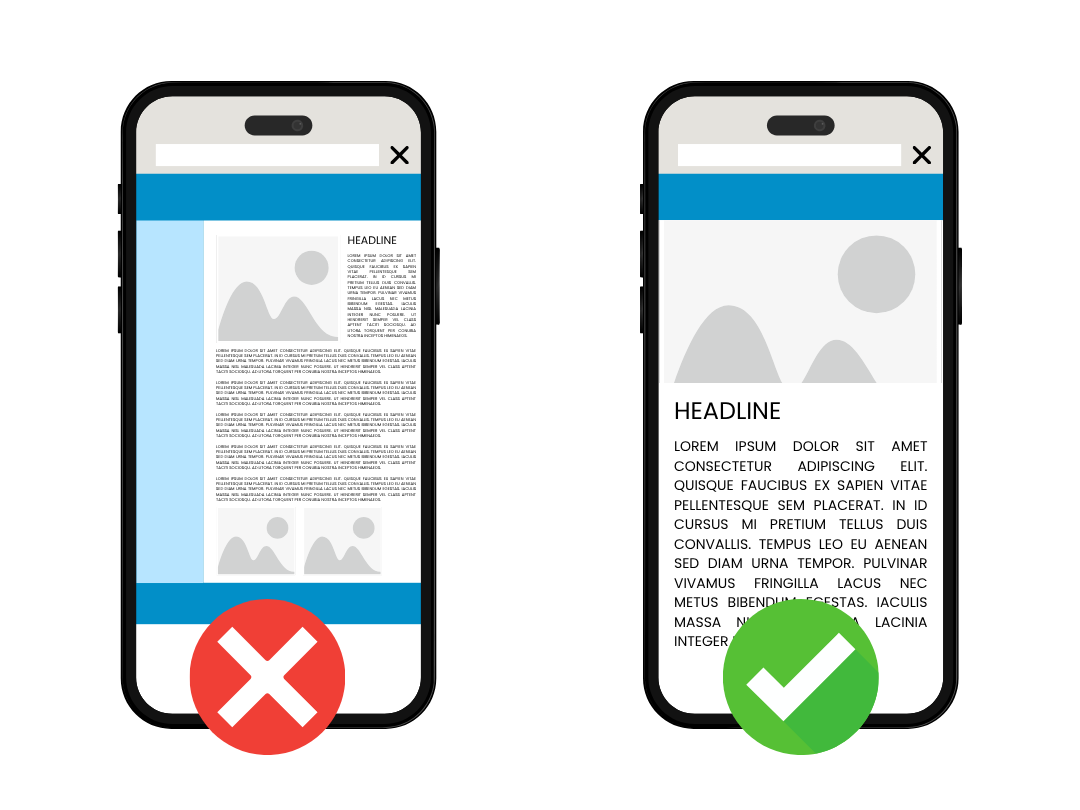
Over half of web traffic happens on mobile. If your layout breaks, text overlaps, or buttons are too tiny to tap, then people are out.


Fix It: Prioritize mobile responsiveness in your design. Test your site on different screen sizes and make sure it feels just as good on a phone as it does on desktop.

A cell phone with an x on it and a cell phone with a check mark on it.

3. Outdated Visuals and Fonts

If your site still uses bevelled buttons, stock images from 2012, or Comic Sans, you're not building trust.


Fix It: Update your branding with clean typography, quality visuals, and modern layout choices. A refreshed look can instantly boost your credibility.

4. No Clear CTA (Call to Action)

You've got them on your site, now what? If visitors don't know where to go next, they'll just leave.


Fix It: Guide users with strong, obvious CTAs like "Book a Demo", "Start Shopping," or "Contact Us." Keep it clear and simple.

A bunch of buttons with call to actions written

5. Confusing Navigation

If your menu feels like a scavenger hunt, people will give up fast. Navigation should be intuitive, not a guessing game.


Fix it: Streamline your menu. avoid overwhelming dropdowns, and make sure key pages are easy to find. Less it more.

6. Too Much Text, Not Enough Visual Hierarchy

Big walls of text with no structure? No thanks. Users want to skim, not read a novel.


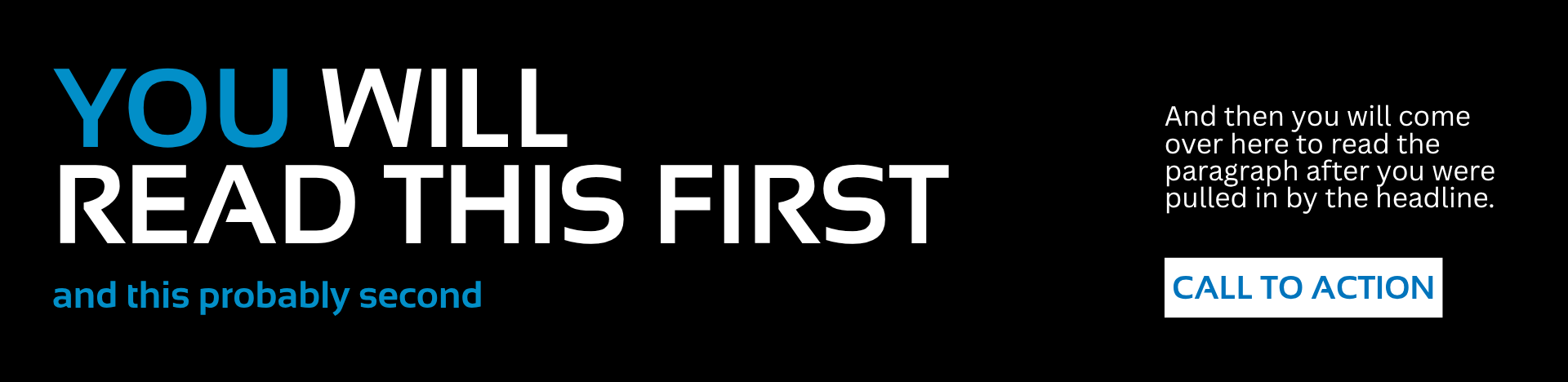
Fix it: Use headers, subheaders, bullet points, and visuals to break things up. Help the eye flow naturally through the content.

A sign that says you will read this first

7. No Personality or Brand Voice

Your website should feel like you. If it sounds generic, robotic, or lifeless, people won't feel a connection.


Fix it: Infuse your copy with your brand voice (whether thats playful, bold, professional, or creative). Show people who you are and what you stand for.

Your website is your digital front door and with a few intentional changes, you can turn casual visitors into loyal customers.


Maybe your website is so far gone that you just need to get a whole new one. Well that's kind of our thing. Contact Performance Digital and let's chat!

Share

Hands using a smartphone to browse a clothing website on a computer screen.
By Sydney Burright July 14, 2026
Most businesses launch a website and forget about it. Here's what you should actually be doing after launch to keep your site secure, visible, and working for your business.
Hands holding a game controller beside a smartphone, keyboard, and laptop on a desk.
By Performance Digital June 26, 2026
Most businesses treat social media as an awareness-only play. The idea is usually, “Let’s post consistently, grow followers, stay top of mind.” This always looks great on paper but fails to address your audience at each phase of the buyer’s journey. With strategic content built for each part of the funnel, social media can and should addresses each step in your audience’s journey from awareness to conversion.  Here's a different way to think about it.
Collage of colorful fast-food, pizza, burger, and drink ads in a grid layout
By Sydney Burright June 24, 2026
Let's say you just got an ad back from your designer. It's clean, it's simple. It has an image, a headline, and a call to action saying "shop now". But now you want to add another tagline, a list of features, and a disclaimer at the bottom in tiny font. Suddenly the ad now looks like a flyer posted on a bulletin board. This happens constantly in digital marketing, and it is one of the biggest reasons ads don't perform well. The fix is not complicated, but first you need to understand why adding all that extra information to the ad is a huge problem.
Blue graphic with labeled bubbles “BOOMER,” “X,” “Y,” “Z” beside a white funnel icon
By Alexis Rios May 26, 2026
Why Generational Consumer Behavior Matters More Than Ever
UX vs UI comparison graphic with two website mockups on a white background
By Sydney Burright May 19, 2026
If you've ever scrolled through a website or app and thought, "Wow this website looks really cool," but then couldn't figure out how to actually checkout or find the menu, you've experienced the tug-of-war between UI and UX. These terms get thrown around a lot in the tech and marketing world, and sometimes are often put together ("UI/UX"). But while they are basically best friends who work together, they are definitely not the same thing. If you are a student looking into design or a business owner trying to figure out why your website isn't bringing you sales, here is the breakdown.
Laptop displaying a website beside a red flag on a black pole
By Sydney Burright April 23, 2026
You can have the best business in the world, but if you don't have a website or your current website looks really outdated, people are going to click the "X" and leave your website before they even see what you do. As a designer, I see these same mistakes every single day. The good news is that most of your website's problems are super easy to fix. If your site has any of these 5 red flags, then it's time to build a new one or give your current site a little glow-up.